
How To Build A Successful Makerspace
A modern guide to building a makerspace for schools, libraries, and community spaces, covering 3D printing, laser cutting, CNC, and more.

How to Build a Successful Makerspace
A makerspace is not defined by how advanced its equipment is. It is defined by the mindset behind it: a place where trying something new is encouraged, failure is treated as information rather than a setback, and anyone can turn an idea into something they can hold in their hands. That mindset has only become more valuable as digital fabrication tools have gotten more capable, more affordable, and more central to how people learn, build, and work.
Where Makerspaces Show Up Today
Schools remain one of the fastest-growing homes for makerspaces, and not just in science and robotics classrooms. Elementary, middle, and high schools use them to bring career and technical education to life, while universities and technical programs rely on them for research, prototyping, and hands-on coursework that a lecture simply cannot deliver.
Public libraries have leaned into makerspaces as a natural extension of their role as community hubs. Many now offer time on 3D printers, laser cutters, and design software alongside their traditional resources, often at low or no cost, giving anyone in the community access to tools they would otherwise have to buy outright.

Companies have picked up on the same idea internally. Giving employees a space to prototype, experiment, and learn outside their usual job function tends to produce better problem solvers, not just better prototypes. And independent, membership-based makerspaces continue to grow in cities everywhere, often becoming the place where a woodworker, a welder, and someone building a robotics project end up collaborating on something none of them would have built alone.
Getting Started, By Capability
The right starting equipment depends less on budget tier and more on what your community actually wants to build. Here is how the major categories break down today.
3D Printing: The Most Accessible Entry Point
Desktop 3D printing remains the easiest and most approachable way to introduce a space to digital fabrication. Machines like the Bambu Lab A1, Bambu Lab A2L, and Prusa CORE One+ are built with classrooms and shared spaces in mind. The A1 is an affordable, easy entry point for beginners with a smaller footprint, the A2L steps up to a larger build volume and is UL 2904 GREENGUARD certified for low indoor emissions, and the CORE One+ adds a fully enclosed design for spaces that want that extra layer of safety. All three pair with free design tools like Tinkercad, making it possible for a total beginner to design and print something the same day.

For makerspaces that want to push into more advanced projects, engineering-grade printers open the door to functional prototypes, replacement parts, and even assistive devices for people in the community who need them.
Resin Printing: Detail Where It Matters
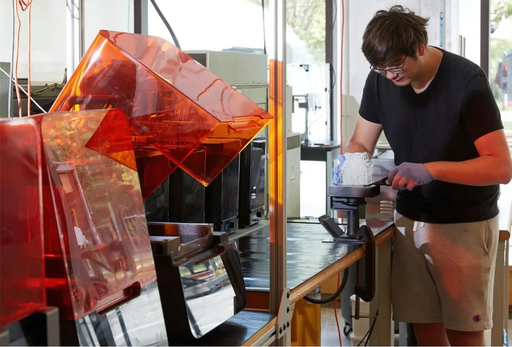
For jewelry, dental models, miniatures, or any project where fine detail matters more than build size, resin printers fill a gap that filament printers cannot. Machines like the Formlabs Form 4 deliver a level of surface detail and accuracy that has made resin printing a staple in makerspaces supporting jewelers, artists, and small manufacturers producing molds for metal casting.
Laser Cutting and Engraving: Fast, Versatile, and Beginner Friendly
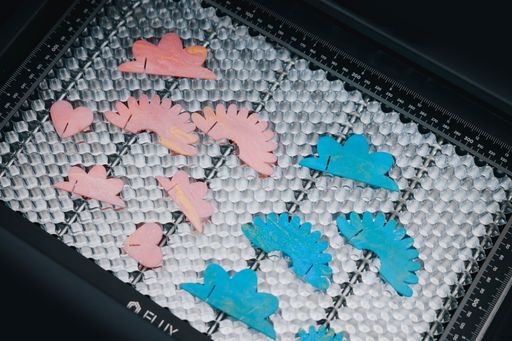
Laser cutters have become one of the most popular additions to modern makerspaces, and it is easy to see why. A single machine can cut and engrave wood, acrylic, leather, and fabric, and increasingly metal, in a fraction of the time other methods require. Compact, desktop-friendly options like the xTool F1 or the FLUX Beamo II are approachable enough for a first-time user while still being capable of real commercial work, which makes them a strong middle ground between a 3D printer and a full CNC setup.
CNC and Waterjet Cutting: Tougher Materials, Bigger Projects
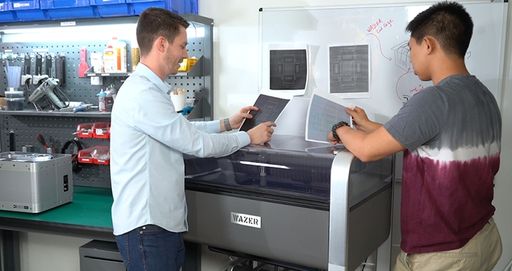
When a project calls for wood, aluminum, or other rigid materials at a scale a laser or 3D printer cannot handle, CNC routers and waterjet cutters take over. Desktop CNC options like the Carbide 3D Nomad 3 or the handheld Shaper Origin bring precision milling into a shop without requiring an industrial footprint, while the WAZER Desktop Waterjet extends that capability into materials like metal and rubber, using nothing but water and abrasive, with no heat-affected edges or advanced machinist training required.
UV Printing: A New Way to Personalize and Create
One of the newer additions worth considering for a makerspace is UV printing. Machines like the eufyMake E1 and xTool O1 Omni let people print full-color, durable designs directly onto wood, metal, glass, leather, and more, all from a compact machine that fits comfortably in a shared space. The O1 Omni is available in a few configurations, and its UV + DT Fabric Edition adds garment printing on top of UV, letting the same machine handle a wooden nameplate one day and a printed t-shirt the next.

For a makerspace, that versatility opens up genuinely useful projects: students customizing their own gear, community members personalizing gifts, art classes exploring color and texture on unconventional surfaces, or a robotics team branding their own equipment. It is also a natural bridge for anyone whose interest started with 3D printing or laser cutting and wants to explore a different kind of hands-on creativity without learning an entirely new skill set.
Where a 3D Printer Becomes Truly Powerful
Individual prints and personal projects are a great starting point, but a makerspace's equipment becomes especially valuable when it is paired with an original design. People bringing their own product ideas and prototypes to test for form and function benefit enormously from fast iteration, turning what used to take weeks of outsourced tooling into same-day feedback on a design.
This is also where a makerspace can extend real value into its community. 3D printed assistive devices, accessible tools for people with limited hand mobility or vision impairments, and open-source designs shared freely online all continue a tradition of makerspaces doing genuine social good, not just teaching technical skills. Many spaces partner with local schools, hospitals, or disability organizations to identify where a printed part or tool could actually make a difference.
Building a Space That Lasts
A successful makerspace is not built around having the most expensive equipment in the room. It is built around lowering the barrier to trying something new, whether that is a student's first 3D print, someone's first UV-printed design, or a hobbyist finally building the workshop project they have been putting off. Start with the equipment that matches what your community actually wants to make, build in room to grow into more advanced tools as interest grows, and the space will largely build its own momentum from there.
